Hi, today I am going to show you the easy way to change between uppercase, lowercase, and title case. THIS IS AN EXAMPLE OF UPPERCASE LETTERS. this is an example of lowercase letters. This Is an Example of Title Case Letters. Step 1. highlight the portion you want to change. Step 2 then press Shift + F3. (This will cycle the highlighted text from uppercase, lowercase, and title case. UPPERCASE Now highlight it and press SHIFT + F3 and it will change to lowercase. Now highlight it again and press SHIFT + F3 and it will change to title case.
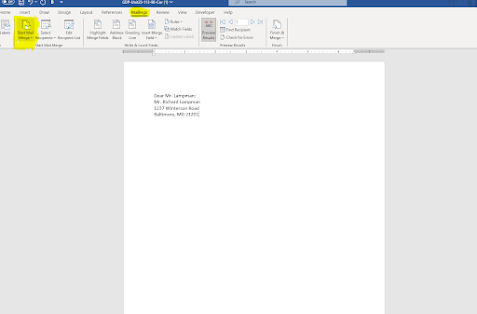
Mail Merges are a great way to import data in a format that look very professional. Step 1. Click the mailings tab, and then click on start mail merge. Step 2. click step by step mail merge wizard. Step 3. Select a starting document. Step 4. Select which type of list you will be using. You can create on or use an existing one. Step 5. Make sure you're address block and greeting lines are correct. Step 6 The click next and then okay and you list will be mail merged.


Comments
Post a Comment